

Configure webhooks and push notification infrastructure to stream real-time events and engage users reliably.
Webhooks
Deliver real-time events to your backend
Certificates
Upload APNs / FCM / Baidu credentials
Chat Events
Channel & conversation notifications
Community Events
Post, comment, story & event notifications
Live Stream Events
Standalone live stream notifications
Custom Payloads
Tailor notification content per event
Webhooks
Need full event catalog, payload schema, retry logic, and signature details? See the complete reference: Webhook Events Reference.
1
Add Endpoint
Enter HTTPS URL in Settings → Webhook section.
2
Secret Issued
Console generates secret key tied to that URL.
3
Validate Signature
Configure backend to verify HMAC (secret) per event.
4
Rotate Secret
Delete & re-add endpoint if compromise suspected.
Best Practices
Best Practices
Idempotent processing, 200 fast ACK then async work, exponential retry logic on your side.
Security
Security
Restrict IPs if possible; verify signature before queuing work.
Versioning
Versioning
Include event schema version in payload to future‑proof consumers.
Push Notifications
Navigate to Settings → Push notifications in the console to manage notification settings and certificates.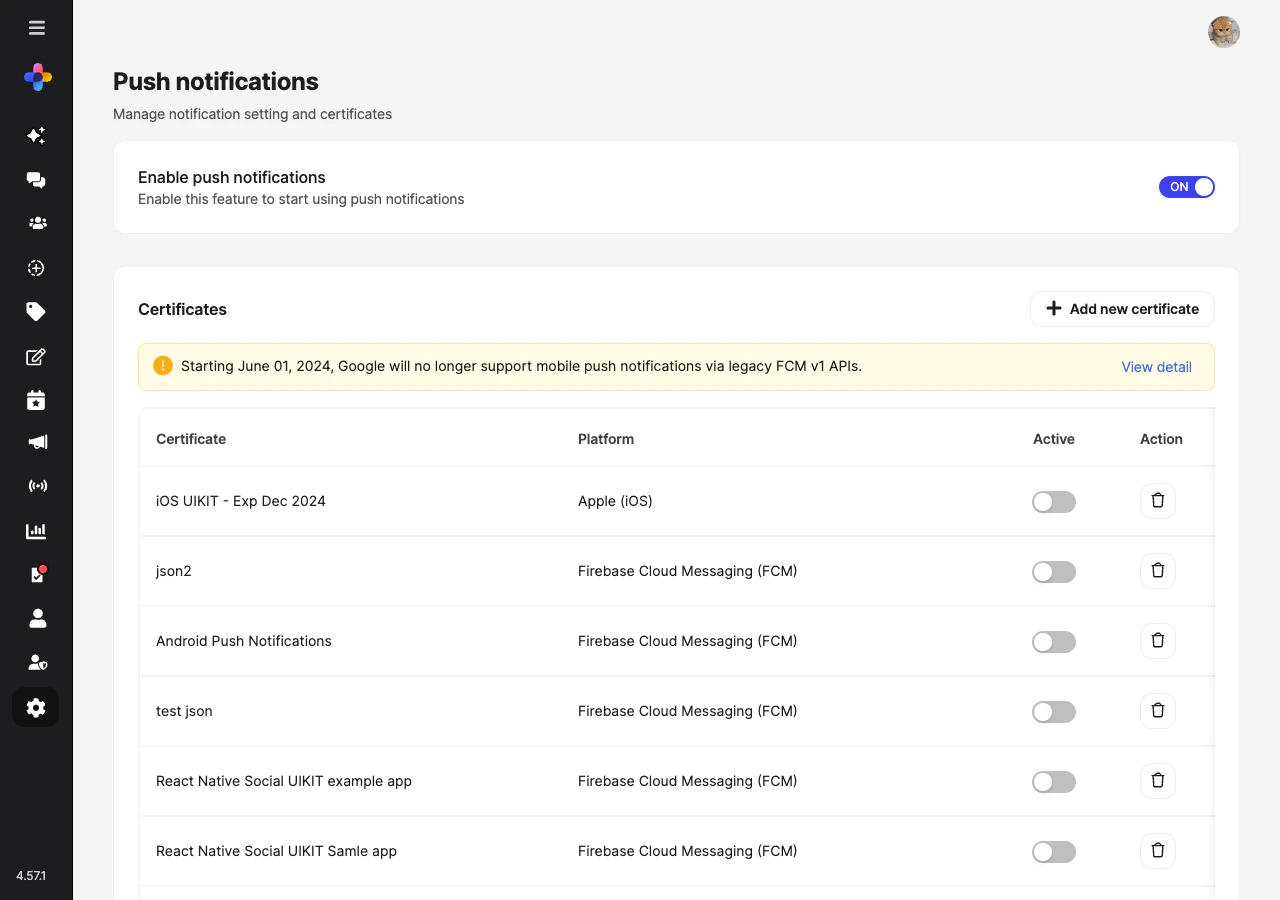
Enable Push Notifications
Use the master toggle at the top of the page to enable or disable push notifications for the entire network.Certificates
Multiple certificates can be stored per platform (e.g., staging + production), but only one can be active at a time per platform/provider.1
Prepare Credential
Obtain APNs .p12/.p8 certificate or FCM service account JSON / Baidu server keys.
2
Upload
Console → Settings → Push notifications → Certificates → Add new certificate.
3
Activate
Toggle the Active switch for the certificate you want to use per environment.
4
Verify
Send a test notification to confirm delivery.
Keep staging & production certificates clearly labeled to avoid cross‑environment delivery errors.
Notification Events
Configure which events trigger push notifications. Events are organized into three tabs: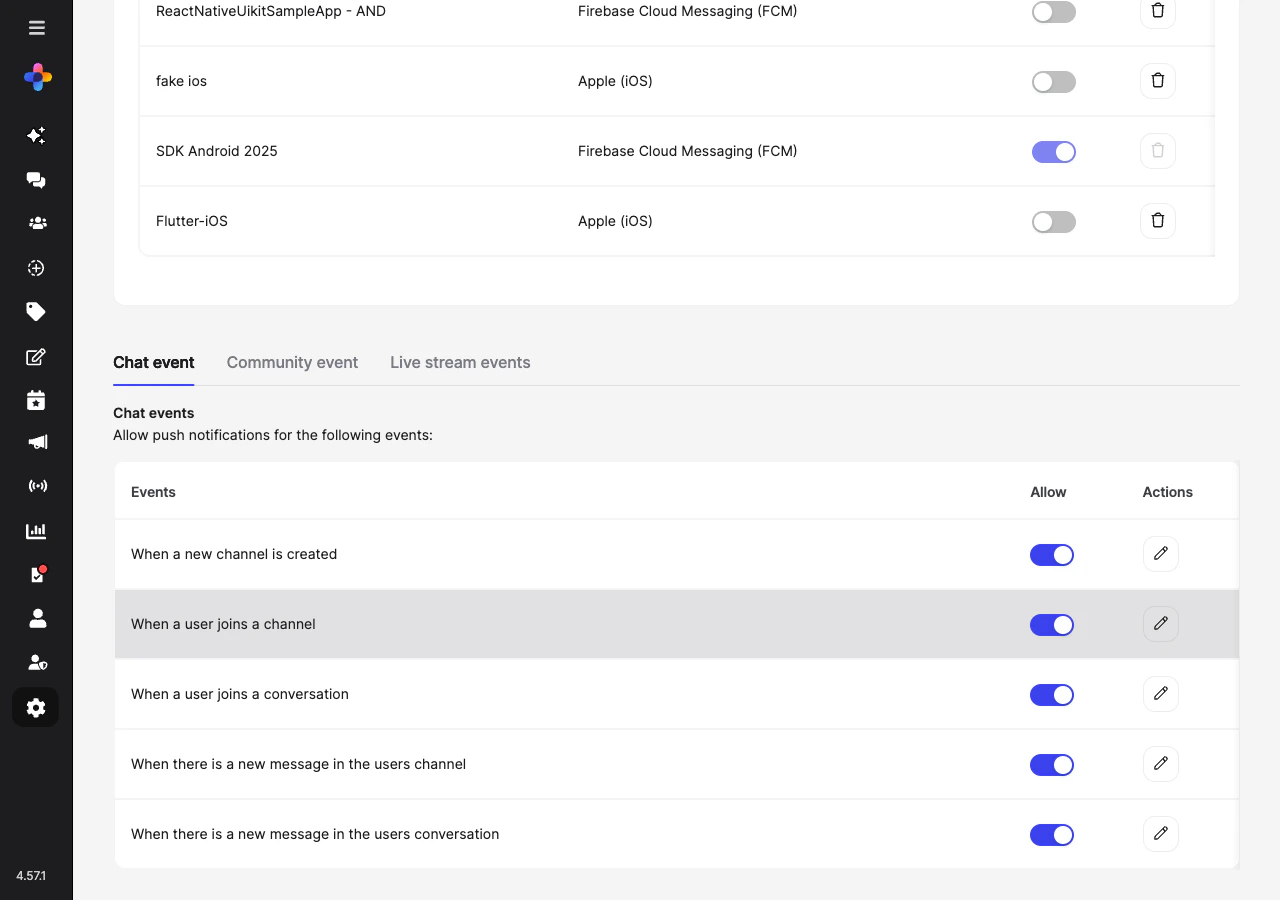
- Chat Events
- Community Events
- Live Stream Events
Chat-related push notification events:
Each event has an Allow toggle and an Actions button to customize the notification message.
Custom Push Message
Click the Actions (pencil icon) button next to any event to customize the notification message template. Keep messages concise (<140 chars) and actionable.Localization
Localization
Store translation keys instead of raw strings; expand at client side.
Personalization
Personalization
Include displayName when appropriate but avoid sensitive content in payload.
Rate Limiting
Rate Limiting
Throttle bursts to prevent notification fatigue.
Monitoring & Metrics
Troubleshooting
Quick Reference
Master Toggle
Enables all downstream push events
Active Cert
One active per platform/provider
Rotate Window
Renew ≥30 days before expiry
Webhook Security
Verify signature HMAC
Related
Security
Secure Mode & mTLS
Branding
Console visuals & brand account